
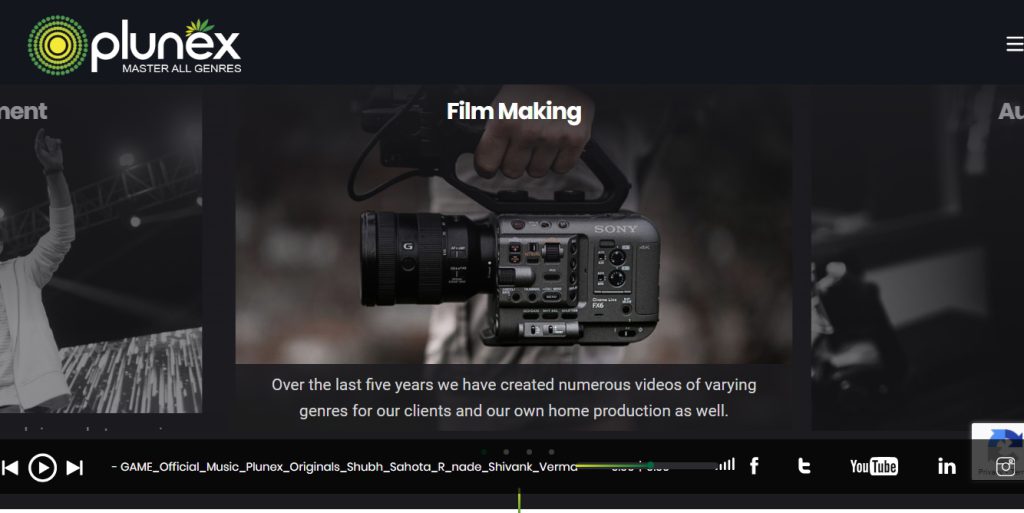
Purpose and Type of Website
Professional Services and Portfolio: The website primarily focuses on services and the projects completed for clients along with capabilities. It is designed to attract clients who might need professional digital, marketing, or event-related services.
Lead Generation and Client Acquisition: Lead capture is one of the primary purposes of the website. Contact forms, inquiry buttons, or scheduling choices are the most achievable ways the potential clients will get in touch.
Portfolio and case studies: Such a website can have a portfolio section where experiences are showcased along with credibility building by providing examples of completed projects or testimonials about how things have worked out.
An information hub: It might entail industries insights, news or blog content that keeps on engaging the client, educating them about services offered, trends, and the latest updates on their field.
Tools possibly used to create such a website
CMS (Content Management System): WordPress: It supports wide varieties of functionalities, and thus, can be customized easily. It is widely used for professional services websites.
Portfolio Plugins: WP Portfolio, Envira Gallery, client work display are some of the popular plugins for display. Galleries are produced in high definition images and descriptions including filters with them.
Contact and CRM Integration: WPForms or Contact Form 7 will help you capture leads, and the integration with CRM like HubSpot or Salesforce ensures proper management of leads and recording of all customer interactions.
Tools for Design: Use Figma or Adobe XD to create a coherent and business-grade layout before you finally start developing. Adobe Photoshop and Illustrator will help in developing graphics and other visuals.
SEO and Marketing Tools: On-page optimization through Yoast SEO, Google Analytics for tracking performance, and connectivity through social media to reach a wider audience.
Hosting and Security: Reliable hosting from such platforms as SiteGround or Bluehost and the security plugin Wordfence or Sucuri, secured the data and the client’s information.
Steps in Creating the Website
Research and Planning: Identify Plunex’s target audience, its competitors, and the business objectives. This would decide the kind of content and features that will be topped in a priority list.
Domain and Hosting Setup: Register the domain, for instance, plunex.in, along with planning of a suitable hosting package that offers high uptime and secure handling of data.
UI/UX Design: Use Figma or Adobe XD to design user-friendly and visually appealing. Keep the layout clean and simple with easy navigation to service pages, portfolios, and contact sections.
Development and Customization:
Installing WordPress and selecting a professional theme according to the theme of a digital services agency
Customize the theme according to the brand of Plunex, such as color, fonts, and images.
Create necessary pages such as Home, Services, Portfolio, About Us, and Contact
Functionalities
Use portfolio plugins to show completed projects or client case studies.
Add SEO and analytics plugins that enhance the search performance.
Integrate contact forms or CRM plugins that effectively capture and track leads.
Content Creation: You need to write lucid, highly appealing descriptions for every service, create a set of testimonials of clients, and fill up the blog with relevant industry insights. Good informative content is great to attract potential clients and trust you for work.
Test and Quality Assurance: It makes sure that the site is responsive and viewable on various browsers. The test should be made for speed, for broken links, and responsive design features so that the website will be easily used by the end-user.
Launch and Marketing: After the launch, engage the target audience by doing SEO activity, campaigns on the social media, and updating the blog frequently to make it relevant.


